



























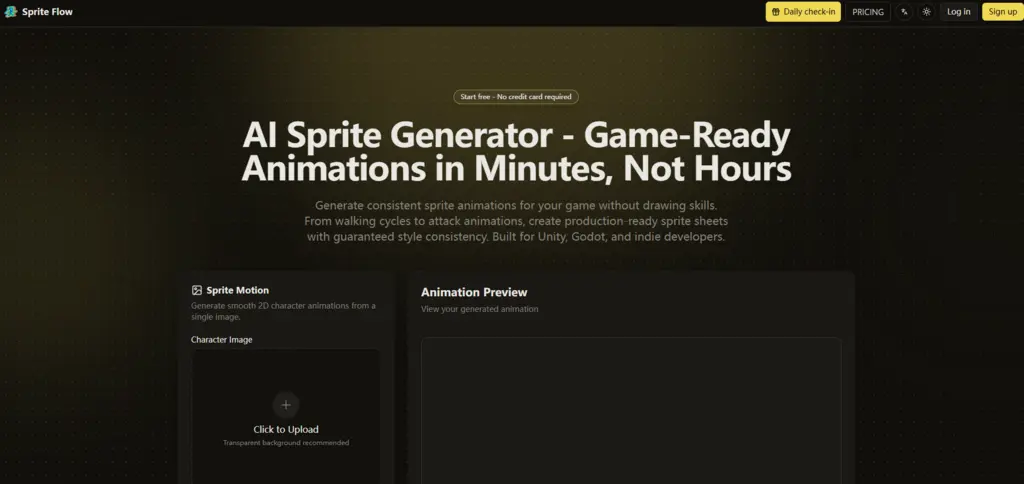
Every game developer knows the moment. You have a working prototype, the controls feel tight, the level layout is promising, and then you look at the character. It’s a colored rectangle. A placeholder cube. A stick figure that’s been serving as your hero for three months. You open your art software, stare at the blank canvas, and calculate the hours: eight frames for a walk cycle, six for an idle, ten for an attack, plus running, jumping, hit reactions, death animations—it adds up to over forty hours of drawing for a single character. Multiply that by the number of enemies, NPCs, and player variants, and your release date slips by a year. This is the sprite sheet bottleneck, and it has killed more indie projects than any coding challenge ever could. The solution isn’t to work faster. It’s to work smarter, and that’s where a different kind of tool enters the picture. AI Sprite Generator approaches the problem not as an art replacement, but as a production pipeline that eliminates the repetitive, time-consuming parts of sprite creation while keeping the visual quality intact.
The Technical Breakthrough: Locked Palettes and Trained Styles
The fundamental challenge for any AI sprite tool is controlling the output. Without strict constraints, the AI generates beautiful but unusable frames. The key innovation in this workflow is the concept of style training combined with palette locking. Instead of generating each animation from scratch with a text prompt, the system first learns your exact visual parameters from reference images, then applies those parameters to every frame it produces.
How Style Training Actually Works
Upload three to five examples of your target art style—they can be sprites from existing games, concept art, or even your own hand-drawn sketches. The AI analyzes these references to extract the color palette, line thickness, shading style, highlight placement, and proportion rules. Once trained, these parameters become fixed constraints for all generations. The result is that a walking cycle generated today and a magic cast animation generated next week will share the same visual DNA. This is not a probabilistic guess; it’s a deterministic application of learned rules.
Why This Matters for Game Animation
Animation relies on visual continuity. If the character’s outline wobbles between frames, or the shadow direction changes, or the highlight moves inconsistently, the animation feels jittery and unprofessional. By locking the style parameters, the tool ensures that every frame of every animation shares the same visual rules. The colors don’t drift. The line weight stays constant. The proportions remain locked. This technical constraint is the difference between usable game art and unusable concept sketches.
The Three-Step Production Pipeline
The workflow is designed for speed and simplicity, not feature bloat. Every step serves a clear purpose, and there’s no unnecessary configuration.
Step One: Define Your Character and Visual Identity
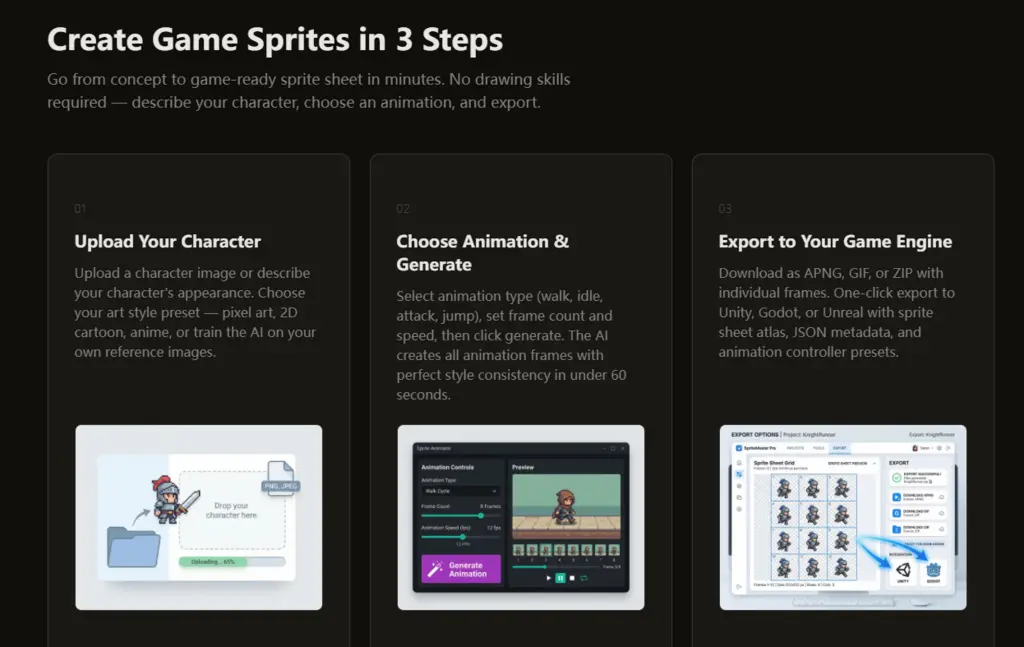
Start by uploading a character image or writing a description of what you need. Then choose a base style preset—pixel art (with sub-options for 8-bit, 16-bit, or 32-bit), 2D cartoon, anime, or hand-painted. For pixel art, you can specify resolution (16×16 to 512×512). For custom projects, upload your reference images to train a unique style. This step locks in the visual foundation that will persist across all subsequent generations.
Custom Training for Unique Aesthetics
If your game has a distinctive visual identity—say, a specific dithering pattern or a unique color grading—the custom training mode will extract that identity from your references. This means you can match the style of an existing game or establish a consistent look for your original IP. The training process takes only a few seconds, and the resulting style preset can be saved and reused for any number of characters.
Step Two: Generate the Animation Set
Select from a comprehensive list of animation types: idle, walk, run, jump, fall, melee attack, ranged attack, magic cast, hit reaction, death, crouch, roll, climb, swim, victory, and more. For each animation, set the number of frames (typically 6-12) and the desired frame rate. Click generate, and the AI produces all frames in about sixty seconds. For a complete character sheet with five common animations, the entire process takes under six minutes for the first character, and less than three minutes for subsequent characters using the same style preset.
Directional Support for 2D and Isometric Games
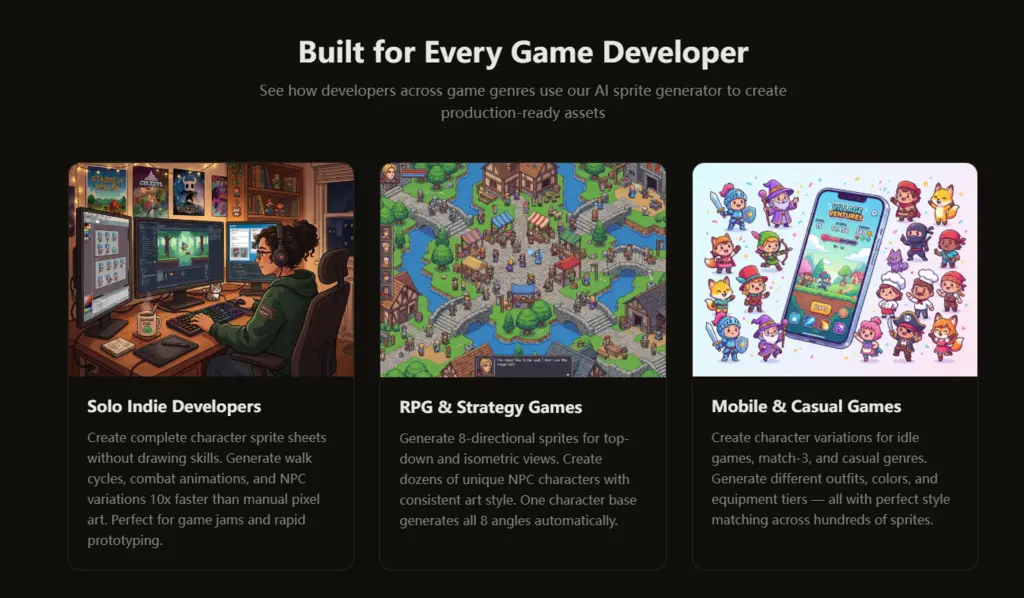
A dropdown lets you choose between single-direction (side-scroller), 4-directional (top-down), and 8-directional (isometric) views. The tool generates all directional variants automatically from the same base character. This is particularly valuable for RPGs and strategy games where characters need to face multiple directions. Manually creating eight directional views of every animation frame is a massive undertaking; the automation here transforms what was once a week-long task into a few minutes of computation.
Step Three: Export and Integrate
The export options are tailored for actual game development. You can download a sprite atlas (PNG with power-of-two padding), individual frames in a ZIP, or an animated GIF for preview. But the real power is the one-click engine exports. For Unity: a sprite sheet atlas, JSON metadata with frame rectangles and durations, an animation controller asset, and collision box suggestions. For Godot: AnimatedSprite resources with.tres files, auto-configured frame timing, and proper naming. For Unreal: Paper2D flipbook data and texture assets. The exported package is drop-in ready; you don’t need to slice sprites, map frame timings, or build animation controllers manually.
The Metadata That Saves Setup Time
The JSON metadata includes frame positions within the atlas, individual frame durations, animation names, and loop settings. This eliminates the tedious manual data entry that typically follows sprite creation. For projects with dozens of characters, the cumulative time saved on export configuration alone can amount to hours or days.
Variations and Iterations: A Different Economic Model
The traditional approach to character variations—new outfits, different hair colors, alternate weapons—requires redrawing every animation frame for every variant. This quickly becomes cost-prohibitive. The tool handles variations differently: generate your base character, lock the pose and proportions, then modify the color palette, equipment, or clothing details. Regenerate in two to three minutes. The output maintains the exact same animation timings and frame structure, so you can swap variants without updating your animation controllers.
Practical Use Cases That Save Thousands
RPGs with customizable player characters: generate the base sprite sheet once, then create outfit variants by changing colors and accessory details. Strategy games with team colors: assign different color palettes to each faction without redrawing a single frame. Mobile games with unlockable skins: produce dozens of skins with minimal effort. The economics are compelling: a single base character plus ten variations costs roughly the same time as one manual character, but yields eleven times the asset variety.
Comparing the Workflow to Traditional Methods
The differences are stark when laid out in a direct comparison.
| Aspect | Manual Pixel Art Pipeline | This AI Workflow |
| Time for Complete Character | 20–40+ hours | 5–7 minutes (first), 2–3 minutes (subsequent) |
| Walk Cycle (8 frames) | 4–16 hours | ~60 seconds |
| Style Consistency | Manual, subject to human error | Algorithmically locked, guaranteed |
| Character Variations | Redraw all frames per variant | Regenerate in 2–3 minutes |
| Directional Views | Draw each angle separately | Auto-generated from base |
| Engine Export | Manual slicing, mapping, and controller setup | One-click with full metadata |
| Learning Curve | Years of artistic training | No drawing skills required |
| Cost Per Character | $500–$5,000 if commissioned | Fraction of that, with free tier available |
Realistic Limitations and Honest Expectations
No tool is perfect, and this one has clear boundaries. The quality of output depends on the quality of input—vague prompts or poor reference images will yield generic results. Complex, highly detailed characters may require multiple regeneration attempts to get the desired level of polish. The tool is designed for baseline production, not for creating hero characters that deserve individual artistic attention. The FAQ explicitly recommends using it for 90% of sprites and reserving manual editing for main characters and bosses. This is not a weakness; it’s a sensible division of labor that respects both AI capabilities and human craftsmanship.
When to Use It and When to Skip It
Use this workflow when you need volume, consistency, and speed—enemy types, NPCs, background characters, variations, and prototypes. Skip it for your game’s protagonist if you have a very specific visual vision that requires bespoke pixel art. The best results come from combining AI-generated baseline sprites with manual polish in a tool like Aseprite. This hybrid approach gives you the best of both worlds: efficiency and quality.
The Final Verdict: A Practical Solution to a Universal Pain Point
The sprite sheet bottleneck has been a silent killer of indie game projects for decades. This workflow doesn’t pretend to eliminate the need for art, but it does eliminate the most tedious, time-consuming, and expensive parts of the process. The palette locking works, the style training is reliable, the export pipeline is genuinely production-ready, and the variation feature opens up new possibilities for content-rich games. It’s not a replacement for artists—it’s a tool that lets artists focus on what they do best, while handling the grunt work automatically. Try it with a simple character first, run it through the full process, and compare the time spent to your usual manual effort. The numbers speak for themselves, and for most indie teams, that time saving is the difference between shipping a game and abandoning it. AI Sprite Generator offers a clear path forward, and the free tier makes it easy to test whether it fits your pipeline.