



















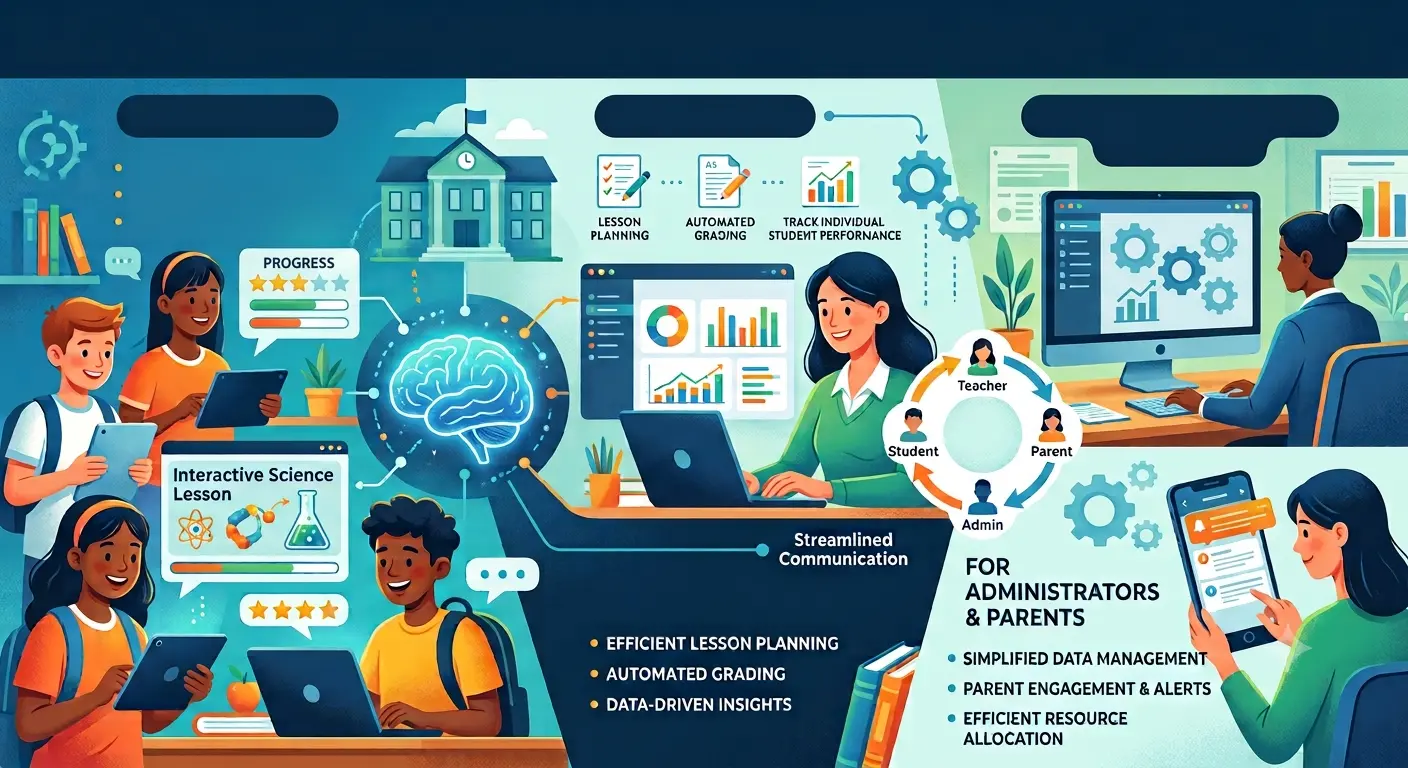
Schools may operate under one roof, but the departments inside them often perform very different jobs. A classroom teacher planning lessons has different responsibilities from a counselor tracking student services. Transportation teams manage routes and schedules, administrators oversee enrollment and reporting, while special education professionals coordinate individualized services, documentation, accommodations, and communication among multiple participants.
Trying to manage all of those responsibilities through the same general-purpose software can create unnecessary friction. Broad school management platforms remain useful for shared information, but certain departments benefit from technology designed specifically around their workflows. Specialized educational software can reduce repetitive work, organize important information, support collaboration, and make it easier for employees to follow processes consistently. The goal is not to give every department another application. It is to provide purpose-built tools when a department’s work is too specialized for a general system to handle efficiently.
Different Departments Have Different Workflows
The need for specialized software becomes clearer when looking at how differently school departments operate.
Admissions and enrollment teams may need tools for applications, registration documents, residency information, student records, and family communication. Finance departments focus on budgets, purchasing, payroll, reimbursements, and financial reporting. Human resources may need systems for hiring, employee records, certifications, benefits, and professional development.
School counselors work with another set of priorities. They may track meetings, academic progress, graduation requirements, referrals, or college and career planning. Transportation departments need entirely different information involving vehicles, routes, stops, drivers, student assignments, and scheduling.
These workflows overlap in places, but they are not interchangeable.
A generic database can technically store much of this information. The problem is that simply storing data does not necessarily help employees complete their work. Specialized software can organize information according to the actual sequence of tasks a department performs.
That distinction matters. Good technology should reflect the work rather than force employees to redesign their work around the technology.
Reducing Repetitive Administrative Tasks
Education involves a surprising amount of administrative work. Employees may enter information into forms, transfer data between systems, prepare reports, check deadlines, communicate updates, and maintain records alongside their primary responsibilities.
When software is designed for a specific department, some of that work can become more streamlined.
For example, a system might automatically populate information that has already been entered rather than requiring staff members to type it repeatedly. Automated notifications can remind appropriate employees about approaching deadlines. Standardized templates can make routine documentation more consistent.
Small efficiencies add up.
Saving a few minutes on one task does not sound significant. Saving those minutes hundreds or thousands of times throughout a school year can return substantial time to employees.
This is particularly valuable in departments where professional staff would rather spend their time directly supporting students. Technology cannot remove administrative responsibilities, but it can reduce unnecessary repetition surrounding them.
Special Education Software and Complex Student Needs
Special education is a strong example of a department where specialized technology can be particularly useful. Special education software can help authorized educators and administrators organize information related to individualized education programs, services, goals, accommodations, evaluations, meetings, documentation, and important timelines.
The value of special education software is not simply that it stores records. A thoughtfully designed platform can help teams manage complicated workflows involving teachers, specialists, administrators, families, and other professionals while supporting required processes and documentation.
Special education programs operate within detailed federal and state requirements, so schools need systems that support their applicable procedures rather than relying on improvised spreadsheets or disconnected documents. Software does not replace professional judgment or meaningful collaboration with families. It can, however, make the administrative side of that work more organized and easier to manage.
Privacy is especially important because these systems may contain sensitive student information. Schools should carefully evaluate access controls, security practices, data handling, vendor policies, and compliance requirements before selecting a platform.
Better Organization Can Improve Collaboration
Educational work rarely happens entirely within one department. A student may interact with classroom teachers, counselors, administrators, nurses, specialists, and support personnel throughout the school year.
When information is scattered across email threads, spreadsheets, paper documents, and unrelated systems, collaboration becomes harder. Employees may spend time locating the latest version of a document or determining whether an important task has already been completed.
Specialized software can provide a more structured source of relevant information.
Access still needs to be controlled. Not every employee should automatically see every student record or departmental document. Role-based permissions can help ensure people have access to information appropriate to their responsibilities.
When implemented correctly, centralized information can reduce confusion without eliminating necessary privacy boundaries.
The result is not necessarily more communication. Often, it is better communication. Employees can spend less time asking where information is located and more time discussing what needs to happen next.
Tailored Reporting Makes Data More Useful
Every school department collects information, but different teams need different views of that information.
A principal might want a high-level view of attendance trends. An attendance specialist may need detailed information about individual absences and follow-up actions. A district administrator could be looking for patterns across several schools.
Specialized software can provide reports and dashboards designed around these specific responsibilities.
That makes data more useful because employees do not have to manually transform general information into a format relevant to their jobs.
Reporting can also help identify patterns. Transportation teams might examine route performance, while academic departments could review student progress across courses. Administrators may use operational information to understand staffing or resource needs.
Software does not automatically make data meaningful. Schools still need knowledgeable people who understand what the numbers represent and what limitations they have.
The technology simply makes appropriate information easier to organize and examine.
Department-Specific Tools Can Support Consistency
Schools often rely on many people to perform similar processes. Without standardized systems, employees may develop their own ways of completing the same task.
One person keeps a spreadsheet. Another maintains a folder of documents. Someone else relies on email reminders.
That approach may work temporarily, but it can create problems when responsibilities change hands.
Purpose-built software can establish a more consistent process. Required fields, templates, approval steps, reminders, and workflow stages can guide employees through routine responsibilities.
Consistency becomes especially valuable when schools experience staff turnover. A new employee does not have to reconstruct a predecessor’s personal organizational system because the established workflow already exists within the department’s technology.
This can also make training easier. Instead of teaching employees several informal processes, schools can provide a defined system with documented procedures.
Integration Still Matters
Specialized software should not create isolated islands of information.
A school might have an excellent department-specific platform, but if employees repeatedly need to enter the same basic information into several unrelated systems, much of the efficiency disappears.
Integration can allow appropriate information to move between platforms. For example, a central student information system may provide basic enrollment information to other authorized applications, reducing duplicate entry.
Schools should therefore consider how new software fits into their larger technology environment.
Does it integrate with existing platforms? Can information be exported in usable formats? How are accounts managed? What happens if the school eventually changes vendors? Who owns the data, and how can it be retrieved?
These questions are less exciting than a demonstration of new features, but they often determine whether software remains useful over the long term.
Security and Privacy Need Careful Attention
Educational technology can contain sensitive information about students, employees, finances, and school operations. Specialized software therefore needs to be evaluated for more than convenience.
Schools should understand how vendors protect information, where appropriate data is stored, who can access it, and how accounts are secured. Strong authentication, appropriate encryption, role-based permissions, logging, and regular software maintenance can all contribute to a stronger security approach.
Student privacy requirements also deserve careful consideration. In the United States, laws such as the Family Educational Rights and Privacy Act, commonly known as FERPA, establish protections involving certain education records. Other federal and state requirements may apply depending on the type of information and technology involved.
Schools should involve appropriate technology, privacy, legal, administrative, and departmental stakeholders when evaluating systems that handle sensitive information.
Convenience should never come at the expense of responsible data management.
Choosing Software Around Real Needs
Not every department needs its own specialized application. Adding software without a clear reason can increase costs, complicate training, and leave employees juggling too many platforms.
The decision should begin with a problem.
Perhaps employees spend hours creating reports manually. Maybe important deadlines are difficult to track, or information is scattered across multiple locations. A department may have outgrown spreadsheets, or existing software may not support a specialized workflow.
Once the problem is clearly defined, schools can evaluate whether purpose-built technology offers a practical improvement.
Staff members who perform the work should participate in that process. Administrators may understand budgets and organizational goals, while employees using the software every day understand the small frustrations that determine whether a system actually works.
A feature-rich product is not necessarily the best choice. Sometimes a simpler platform that matches the department’s workflow produces greater value than a complicated system filled with functions nobody uses.
Better Tools Can Support Better Educational Work
Specialized educational software is valuable when it helps employees manage complex responsibilities without adding unnecessary complexity. Different departments have different workflows, deadlines, reporting requirements, and information needs, so expecting one general platform to handle everything equally well is not always realistic.
Purpose-built systems can organize departmental processes, reduce repetitive administrative work, improve consistency, support appropriate collaboration, and make relevant information easier to understand. At the same time, schools need to consider integration, privacy, cybersecurity, training, accessibility, and long-term costs before adopting additional technology.
The purpose is not to turn education into a collection of software platforms. Technology should remain in the background, helping people complete necessary work more efficiently.
When schools select tools around genuine departmental needs, the benefit can reach beyond the employees using the system. Teachers and specialists may gain more time for students, administrators can make better-informed decisions, and important processes can become easier to manage. That is where specialized software provides its greatest value: not by changing the purpose of education, but by helping the people responsible for delivering it focus more of their attention on the work that matters.