





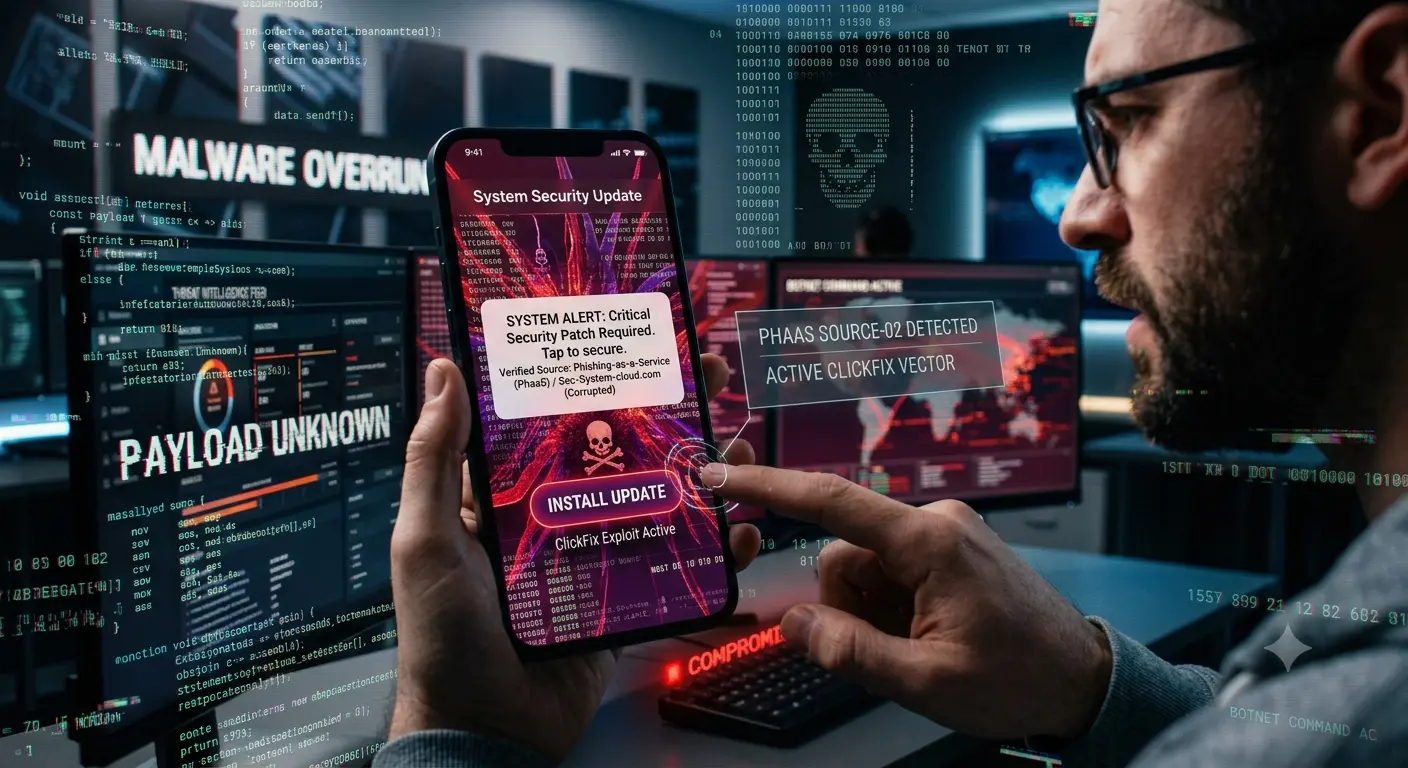
In the modern threat landscape, cybercriminals no longer need a degree in computer science to bring down a multi-million dollar business. Today, sophisticated hacking capabilities can be rented for as little as $20 a month.
For industries traditionally operating with low cybersecurity presence—such as construction, logistics, healthcare, manufacturing, retail, and local professional services—this democratization of cybercrime has created a crisis. These sectors often lack dedicated Security Operations Centers (SOCs) or extensive IT budgets, making them prime targets for automated, high-volume attacks.
Two cyber threats in particular are currently tearing through organizations with devastating efficiency: Phishing-as-a-Service (PhaaS) kits and the rapidly spreading “ClickFix” social engineering tactic.
In this article, we’ll break down how these attacks work, why even cautious employees fall for them, and the actionable steps your business can take today to build a resilient defense.
1. Phishing-as-a-Service (PhaaS) & Turnkey Phishing Kits
What is PhaaS?
Just as businesses rely on Software-as-a-Service (SaaS) like Office 365 or Salesforce, cybercriminals now rely on Phishing-as-a-Service (PhaaS).
Dark web developers build all-in-one phishing kits equipped with:
- Real-time brand cloning (Microsoft, Google, DocuSign, QuickBooks).
- Automated email deployment engines.
- Evasion tools designed to bypass secure email gateways (SEGs).
- Built-in reverse proxies (Adversary-in-the-Middle / AitM) capable of stealing Session Cookies and bypassing traditional Multi-Factor Authentication (MFA).
Why It’s Lethal to Low-Security Industries
Historically, phishing emails were easy to spot: broken English, bizarre email addresses, and pixelated logos.
Today, PhaaS kits allow low-skilled threat actors to launch hyper-realistic login portals. When an employee in logistics receives an email claiming a invoice requires immediate sign-off via DocuSign, the link takes them to a proxy page that looks 100% identical to the legitimate service. When the user enters their credentials and 2FA code, the hacker intercepts both in real-time, stealing the active session token.
2. The Rise of “ClickFix”: The Social Engineering Illusion
While phishing kits target login credentials, ClickFix is designed to trick users into executing malicious code on their own machines—without downloading a single traditional file.
How a ClickFix Attack Unfolds
ClickFix relies on creating fake error messages on legitimate-looking websites or compromised portals.
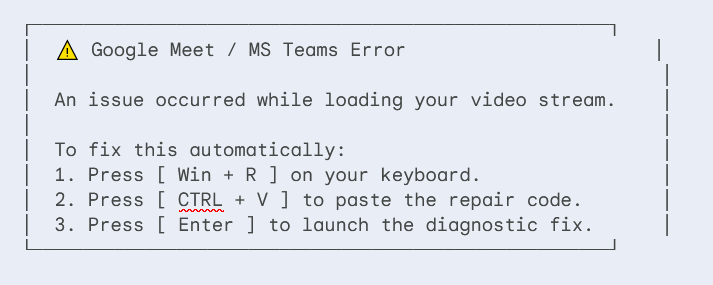
When the user follows these steps, they aren’t fixing a video glitch. They are opening Windows Run (Win + R), pasting a hidden, obfuscated PowerShell command into their system prompt, and running an infostealer (such as Lumma Stealer, Vidar, or DarkGate).
Also Read: Anatomy Of An Advanced Persistent Threat Group
Why ClickFix Bypasses Traditional Security
- No Files Downloaded: Antivirus software typically scans downloaded
.exeor.zipfiles. Because ClickFix relies on the user copying text to their clipboard and executing native Windows tools (PowerShell.exeorcmd.exe), legacy antivirus engines often see no suspicious file activity until it is too late. - Exploiting Muscle Memory: Users are trained to fix technical issues quickly to resume their work. The step-by-step prompt feels like an intuitive troubleshooting guide rather than a cyber attack.
3. Why People Keep Falling for These Attacks
It’s easy to blame employees for lack of awareness, but modern threat design specifically exploits psychological vulnerabilities:
A. Urgency and Workflow Interruption
When a dispatcher, site manager, or clinic clerk gets a pop-up saying “Document delivery delayed” or “Meeting audio failed,” their primary goal is efficiency. Urgency bypasses critical thinking.
B. The Illusion of MFA Invincibility
Many organizations tell their employees, “As long as you have 2FA turned on, you are safe.” This instills a false sense of security. When an AitM phishing kit prompts for an SMS or authenticator code, users input it without hesitation, believing 2FA acts as an impenetrable shield.
C. Technical Disconnect
The average user does not know what Win + R or PowerShell actually does. To them, it looks like a sequence of keys recommended by a helpful troubleshooting prompt. Threat actors leverage this gap between human interaction and underlying OS commands.
4. How to Defend Your Organization (Even on a Budget)
Protecting an organization with low IT infrastructure doesn’t require millions in security software. It requires strategic controls and targeted awareness:
1. Upgrade to Phishing-Resistant MFA
Traditional MFA (SMS codes, push notifications, TOTP apps) is vulnerable to AitM phishing kits.
- Action: Shift to FIDO2 / Passkeys or hardware security keys (like YubiKeys). FIDO2 binds authentication directly to the specific web domain, making it impossible for a reverse-proxy phishing kit to capture valid credentials.
2. Restrict Command-Line Tools for Standard Users
Unless an employee is in IT or software development, they have no reason to execute PowerShell or Command Prompt scripts manually.
- Action: Implement Group Policy Objects (GPO) or endpoint rules that block non-administrative accounts from invoking
PowerShell.exe,cmd.exe, or pasting executable strings into theWin + Rprompt.
3. Modernize Security Awareness Training
Stop testing employees with obvious spam emails from 2012.
- Action: Educate staff specifically on ClickFix tactics. Teach them a fundamental rule: No legitimate software provider will EVER ask you to open Windows Run or paste terminal code to fix an application error.
4. Implement Endpoint Detection & Response (EDR)
If you are still using traditional signature-based antivirus, upgrade to an EDR tool. EDR analyzes behavior. If a user accidentally runs a malicious PowerShell script, EDR can spot the unusual parent-child process execution and terminate it immediately.
Final Thoughts
PhaaS and ClickFix represent a fundamental shift in cybercrime: attacks are cheaper to launch, harder to detect, and tailored to human psychology. For industries with low cyber security presence, the risk is no longer theoretical—it is an operational reality.
By hardening your authentication methods, restricting command-line execution, and educating teams on modern social engineering mechanics, you can shut the door on cybercriminals before a single click turns into a catastrophe.
Is your organization prepared for modern phishing techniques? Share this article with your team or IT administrator to audit your defensive posture today.